


After purchasing a theme, you will be sent an email receipt within a few minutes. The email includes a link to download the theme installation file.
Scroll to the bottom of the email, then you can download your theme using the link shown below:
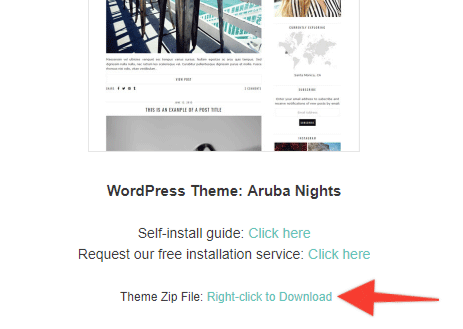
Download the theme by right-clicking (or control+click on Mac) the link in the email. Then select “Save linked file as…”. Please note that the wording may be slightly different depending on which web browser you are using. Save the file to your desktop.
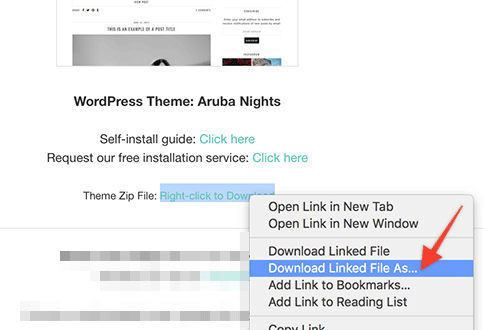
Save the file to your desktop so that you can access it in the next step of this guide. Do not open the file, you will upload it directly to your site.
What's next?
Now that you have downloaded the zip file, it's time to upload it to your site..
Affiliate Disclaimer: I sometimes insert third-party links to products and services to help cover the costs of running this website. I only recommend products that I have used and think are worth trying. Your free will ❤ Donation will be appreciate 😍
Follow me on: Facebook | Twitter | Instagram | Linkedin | Tiktok | YouTube
Disclaimer: The materials on this website are given for general information only and do not guarantee 100% solution. I accepts no responsibility for loss or liability occasioned to any person acting or refraining from acting as a result of material contained in this website.
Post a Comment