


You can edit the profile photo in your template by going to the Layout section of your blog's dashboard. The profile photo will remain the same shape as the original image. If you would like the image to be a circle, you can use free websites this tool.
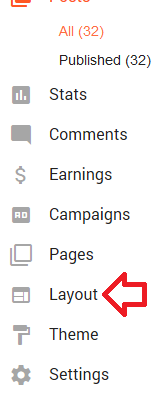
From there, edit the gadget in the sidebar called "Your Photo".
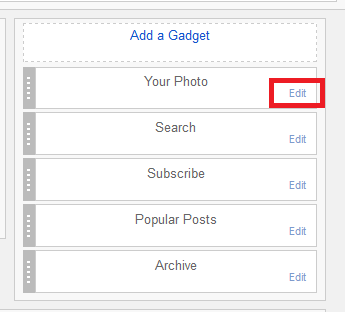
Want to create a circle shaped profile photo? You may find this tool useful.
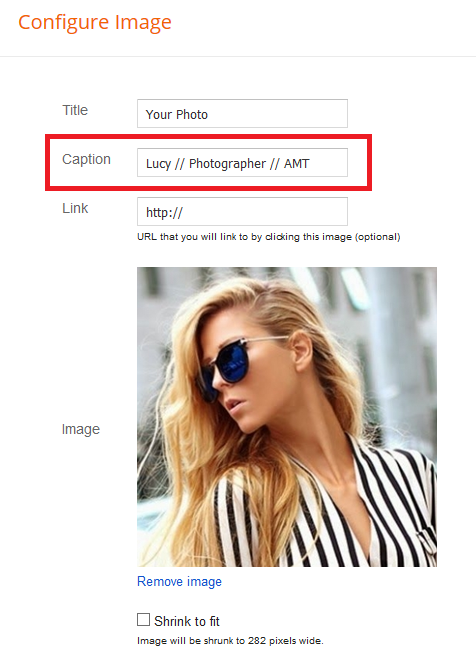
You can also add some text under your profile photo by using the "Caption" field shown below:
Affiliate Disclaimer: I sometimes insert third-party links to products and services to help cover the costs of running this website. I only recommend products that I have used and think are worth trying. Your free will ❤ Donation will be appreciate 😍
Follow me on: Facebook | Twitter | Instagram | Linkedin | Tiktok | YouTube
Disclaimer: The materials on this website are given for general information only and do not guarantee 100% solution. I accepts no responsibility for loss or liability occasioned to any person acting or refraining from acting as a result of material contained in this website.
Post a Comment